DE
DE
 BR
BR
Launchpad for your optimization program
The VWO Platform has everything you need to build and scale your optimization program. Our end-to-end platform enables experience optimization with an easy-to-configure interface, robust integrations, and a data-driven approach to boost conversions.

Rated 4.3 on G2








Every VWO product is built to accelerate your optimization journey
Test experiences, understand customers, personalize buying journeys, and continuously measure conversion success; VWO Platform is equipped to maneuver your entire optimization program. Deeply integrated with each other (and your existing tech stack), all VWO products are accessible from a single, intuitive platform.
Web Optimization
Optimize your website using sophisticated experiments, behavioral data, and quick deployment of personalized experiences.
Program Management
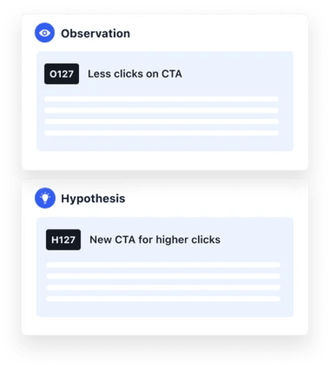
Build a roadmap of optimization ideas with constant collaboration among your distributed teams and our CRO experts.
Server-side Optimization
Leverage the server-side flexibility to test and rollout complex features straight from the backend.
Server-side Experimentation
Run omnichannel experiments to optimize your products and monetize users
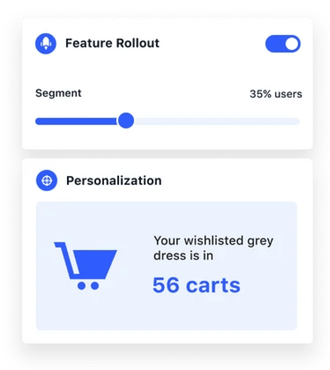
Feature Rollouts
Launch features with more control and certainty
Mobile App Optimization
Monetize your mobile app users by testing their experiences and tracking their behavior.
Data Management
Unlock data-driven experience optimization with real-time unification and enrichment of customer data.
Our customers back our stack too!
Many of our 2500+ customers purchase a set of VWO products to achieve their goals. While our industry-leading G2 ratings are evidence enough, here’s sharing some success stories in our customers’ own words.

The one thing I love about VWO - which we couldn't find in any of the competitors out there - is the fact how each and every product within the VWO Platform talks to each other. The flow of learnings from one capability, one campaign to the other is just invaluable. Would recommend this to anyone serious about conversion optimization & growth.
Founder, ConversionXL





Helping marketers optimize better
Every little experience generates performance and behavioral data, which helps you create, optimize, and release better-performing experiences, in turn churning more data.
VWO’s synergetic data and experience layers continuously nurture this optimization loop.
Test every experience to boost conversions
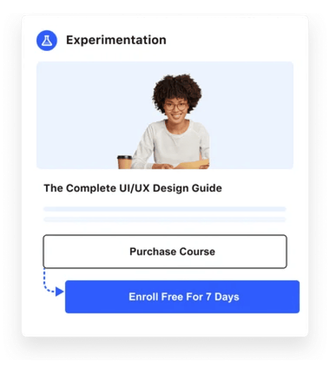
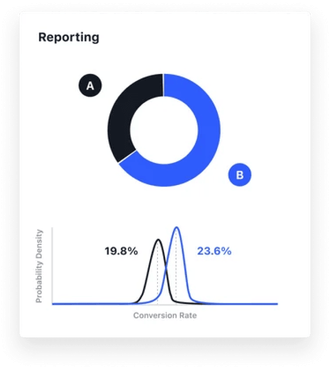
Every little experience you release has a bearing on your KPIs and in turn your revenue. Our Bayesian-powered experimentation platform lets you validate and identify the best-performing experiences so you meet your conversion goals, impact business metrics, and measure success continuously.
Win visitors over with personalization
People visiting your website leave trails of data about their demographic, behavior, and activity. You can use that data to tailor the right experiences for the right visitors, nudging them ahead in their buying journeys.
Analyze behavior to ease buying journeys
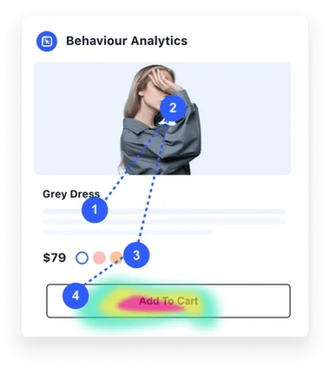
Analyzing visitor activity is key to identifying conversion bottlenecks and resolving UX inconsistencies in your experiences. VWO Insights does just that by tracking behaviors, and showing how engaged your visitors are, and where they are dropping.
Unify data for customer-centric growth
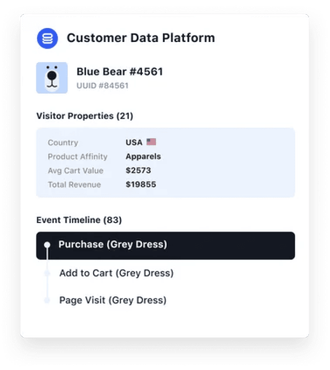
While tremendous customer data exists in different platforms, teams, and formats in silos; VWO Data360 centralizes it into holistic and actionable customer profiles. Our customer data platform lets you configure and export that data to target segments, fine-tune experiments, personalize journeys, and measure impact.
Helping product teams build better
Get the server-side flexibility to run omnichannel experiments and launch complex, targeted features with speed, ease, and confidence.
VWO Fullstack enables product managers and engineers to test the efficacy of the entire product stack they build, no matter which language or platform it’s built on.
Run intricate omnichannel experiments
Imagine being able to test the effectiveness of something as complex as a subscription flow, or a search algorithm. With VWO Fullstack’s ability to run multi-platform and mutually-exclusive tests, you can see how every complex idea impacts your metrics.
Monetize users with in-app experiments
Whether you want to create delightful personalized campaigns or track your in-app success, our Mobile App Testing platform is all you need to deliver stellar digital experiences that drive higher conversions. All via the SDK your team is comfortable building with.
Release features more confidently
VWO Fullstack lets you release new features to a targeted audience before releasing them at scale. Giving your product team the control to roll out features based on their impact on users. And your development team the confidence to build new features and monitor their effect on the backend.
Stories about enabling success
Having helped countless businesses achieve their goals, some success stories have really left a mark. Here’s sharing a few of them.

How Ubisoft used VWO Platform to get more leads.

Goal: Increase sign-ups on the Buy Now Page

Hypothesis: VWO Services team hypothesized that reducing scrolls would simplify the buying process.

Result: Conversion rate for sign-ups grew from 38% to 50%

Bear Mattress optimized its cross sell flow for impact.
Goal: Increase checkouts for cross-sell items
Hypothesis: Content and design revamp of Frequently Bought with Mattress pop-up would make the cross-sell flow more engaging and drive higher purchases.
Result: Purchases of non-mattress products increased by 24.18%

FLOS USA boosted its checkout conversion rate.
Goal: Increase clicks on Proceed to Checkout on cart page
Hypothesis: Keeping only essential information and the header with a link to cart page will improve clarity for users and nudge them to checkout.
Result: Conversion rate for checkouts increased by 36.97%
Get your very own optimization pit crew
VWO Platform’s completeness doesn’t end with our optimization products. It extends to our people, who in fact are an extension of your team too. With dedicated success teams, and round-the-clock support, we help you achieve your goals through prompt resolutions and constant collaboration.


24x7 Support
Get dedicated access to technical experts who’ll troubleshoot all your optimization roadblocks in time. Our CSAT scores are evidence enough that we have consistently impressed our customers with fast and valuable responses. We are there for you 24x7, all year long.

Seamless Onboarding
Scale your optimization efforts with a dedicated success manager, your constant companion from onboarding to getting started. This SPOC will be an extension of your team. He or she will understand your needs to fulfill them with the strategy and execution you deserve.





VWO connects with your existing tech
It must have taken you years to build and integrate your tech stack. To make your experience with VWO as seamless as possible, we’ve worked tirelessly to integrate our platform with almost all major SDKs, analytics, CDP, CMS, ABM, and CRM platforms out there. So you can pull data for deep segmentation, run omnichannel campaigns, and push data for finer reporting, with a click.





Ready to help enterprises build stellar experiences
From enterprise-grade features to the utmost level of security and privacy, from accessibility to benchmark performance; VWO Platform is enterprise-ready from the get-go and built to scale.

Secure Data
VWO hosts all your data on Google Cloud Platform. No employee of VWO can physically access the data.

Unmatched Performance
VWO’s Asynchronous SmartCode and geo-distributed servers ensure that there is no lag in your website load time. Ever.

Built to Scale
Our tech is built for reliability and scale. With 14 data centers globally, we process billions of requests daily with 100% uptime.
Optimize experiences whilst ensuring privacy
Our privacy-first approach ensures that your website visitors’ privacy is respected and that your data is safe. We constantly update our security controls with evolving data protection regulations and privacy reforms, ensuring that your optimization practice is always compliant.




Latest from our world of optimization
Behind every successful product are a number of thoughts and ideas that drive them. We constantly document our learnings to help you stay up to speed with the latest concepts and processes in the optimization space. Check out some such thought-provoking content.