|
In this article, you’ll learn the following: |
Drupal is an open-source platform for building websites. If your website is built using Drupal, you can use VWO’s Drupal plug-in to install the SmartCode on your website automatically in a few simple steps.
Installing VWO’s Drupal Plug-in
Installing the Drupal plug-in can be done in the following ways:
Using Composer (Valid for Drupal 8 and above)
Composer is a dependency manager for PHP. It helps to keep a tab of all the plug-ins and the third-party libraries that you have used for your website. If you’re using Composer, you can install VWO’s Drupal plug-in by performing the following steps:
- Run the following command on your server:
-
composer require 'drupal/vwo:^<version number>'NOTE: Supply the version number in the <version number> placeholder before running the code. - Login to Drupal’s admin panel and navigate to the Modules section.
- Select the checkbox corresponding to the VWO module and click Install. The VWO module will now be installed.

Using Zip File
If you’re not using Composer to install the plug-ins for your website, you can download the appropriate zip file of the plug-in and install it manually by performing the following steps:
For Drupal 7:
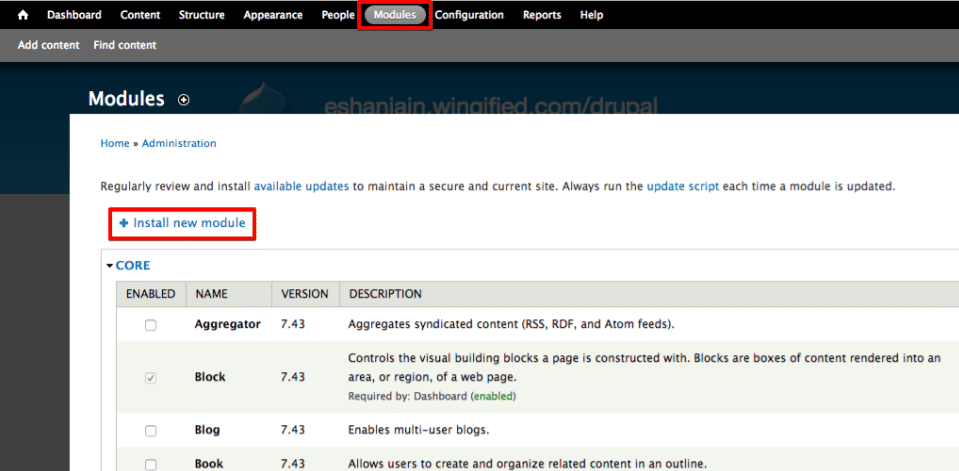
- Login to Drupal’s admin panel and navigate to the Modules section.
- Click Install new module.
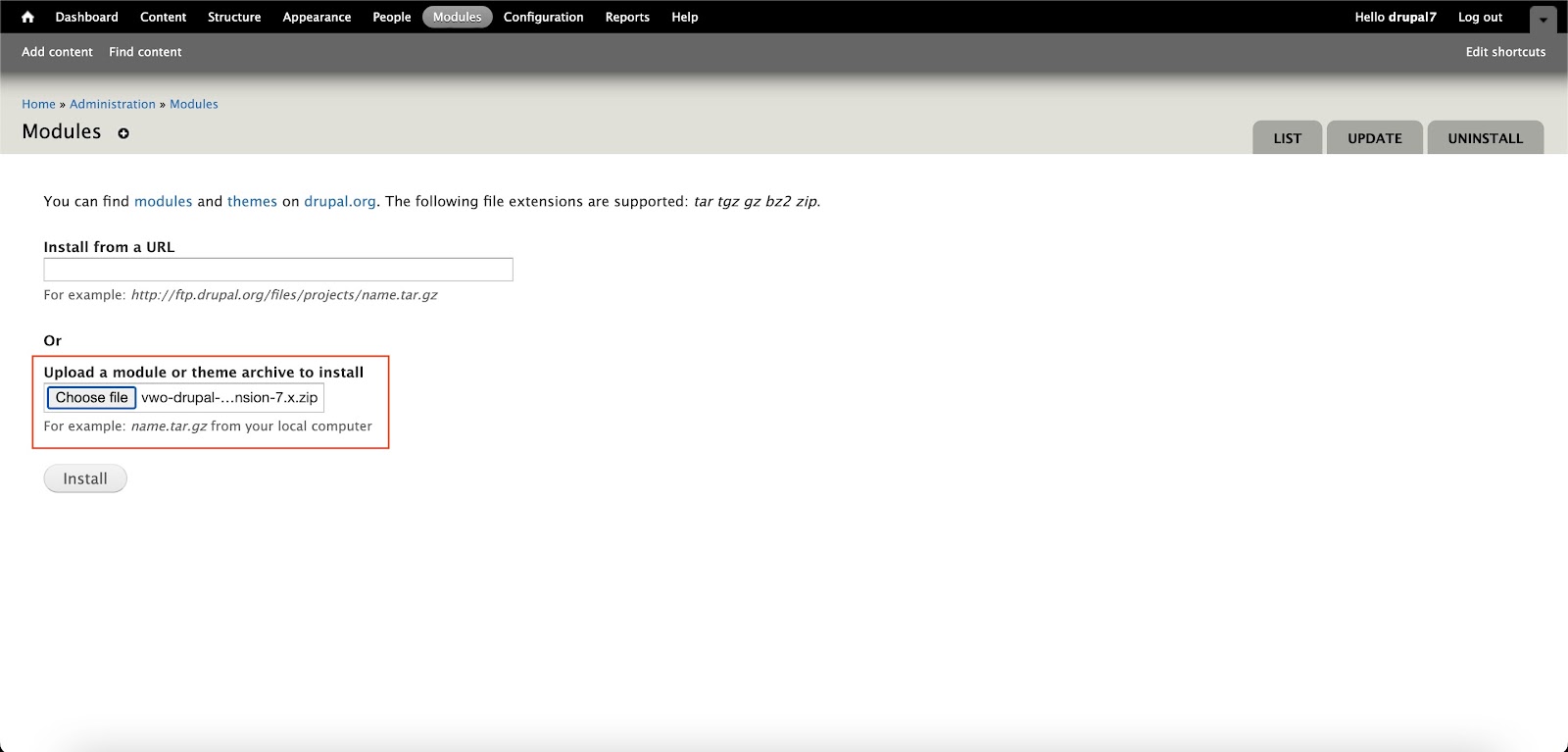
- Click here to download the plug-in and upload it. On the next page, upload VWO’s Drupal plug-in zip file that you downloaded earlier and click Install.
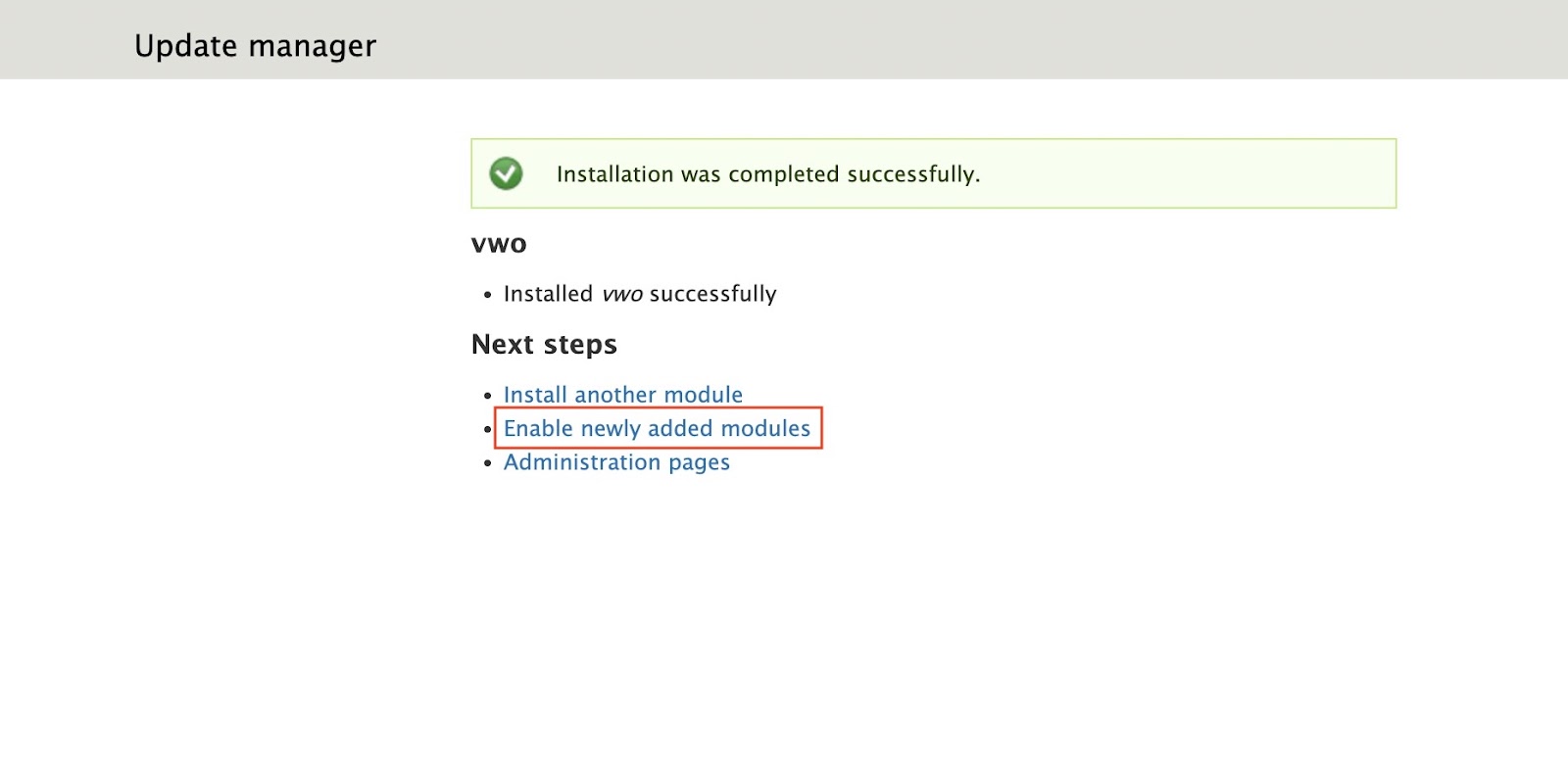
- Once the plug-in is installed, you will see the successful installation message. On this page, click Enable newly added modules.
- Select the checkbox corresponding to the VWO module and click Save configuration. The VWO module will now be installed.

For Drupal 8 and Above
- For Drupal 8 and above, click here to download the plug-in. Login to Drupal’s admin panel and navigate to Manage > Extend, and click Add new module.
- On the Add new module page, upload VWO’s Drupal plug-in zip file that you downloaded earlier and click Continue.
- Once the plug-in is uploaded, you will see the successful installation message. On this page, click Enable newly added modules.
- Select the checkbox corresponding to the VWO module and click Install. The VWO module will now be installed.


Configuring Drupal
Once you have installed the Drupal plug-in, you need to configure the plug-in with your VWO account ID to facilitate the installation of the VWO SmartCode. To do that, perform the following steps:
For Drupal 7:
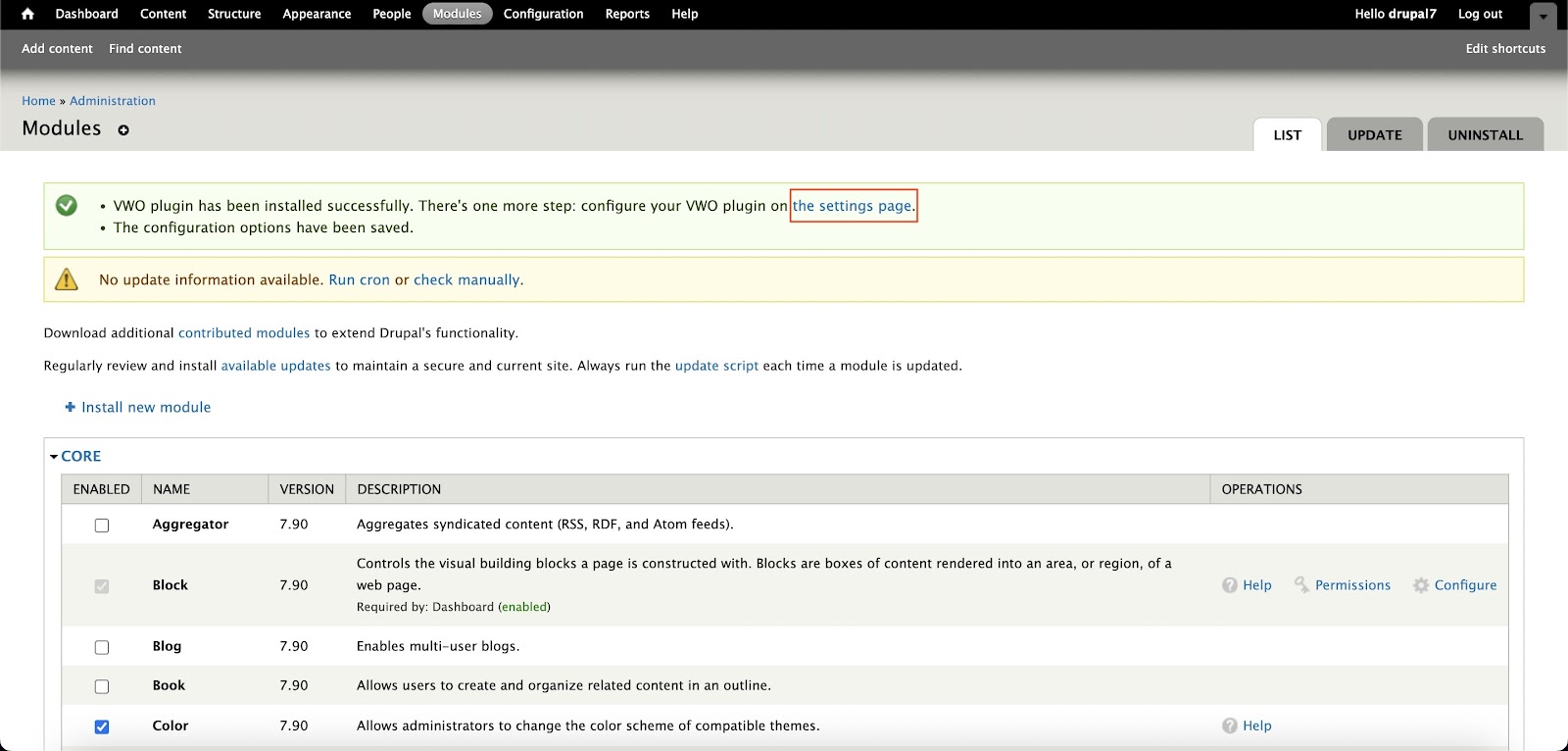
- After you install the module, a message displays asking you to configure your VWO plug-in. Click on the link provided in the message to proceed with configuring the VWO plug-in.
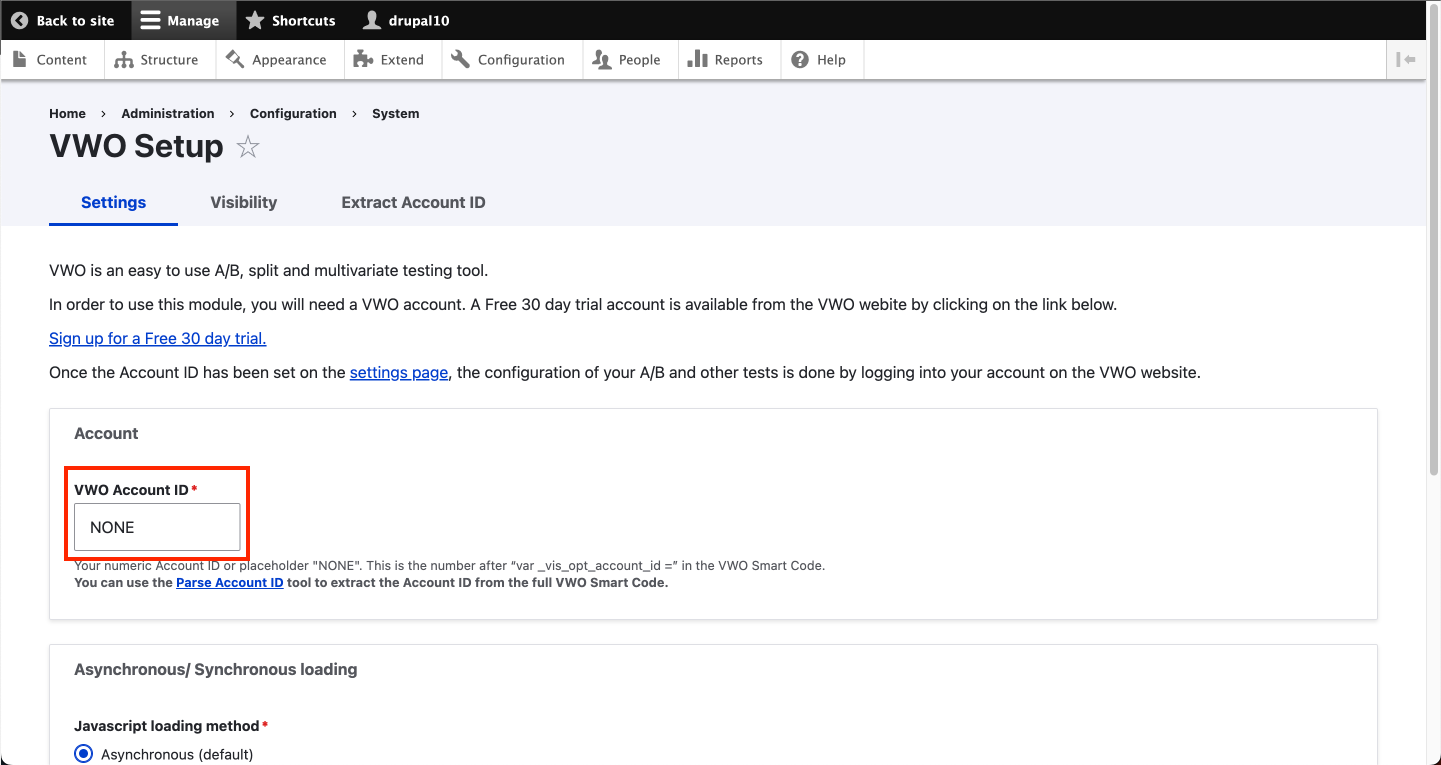
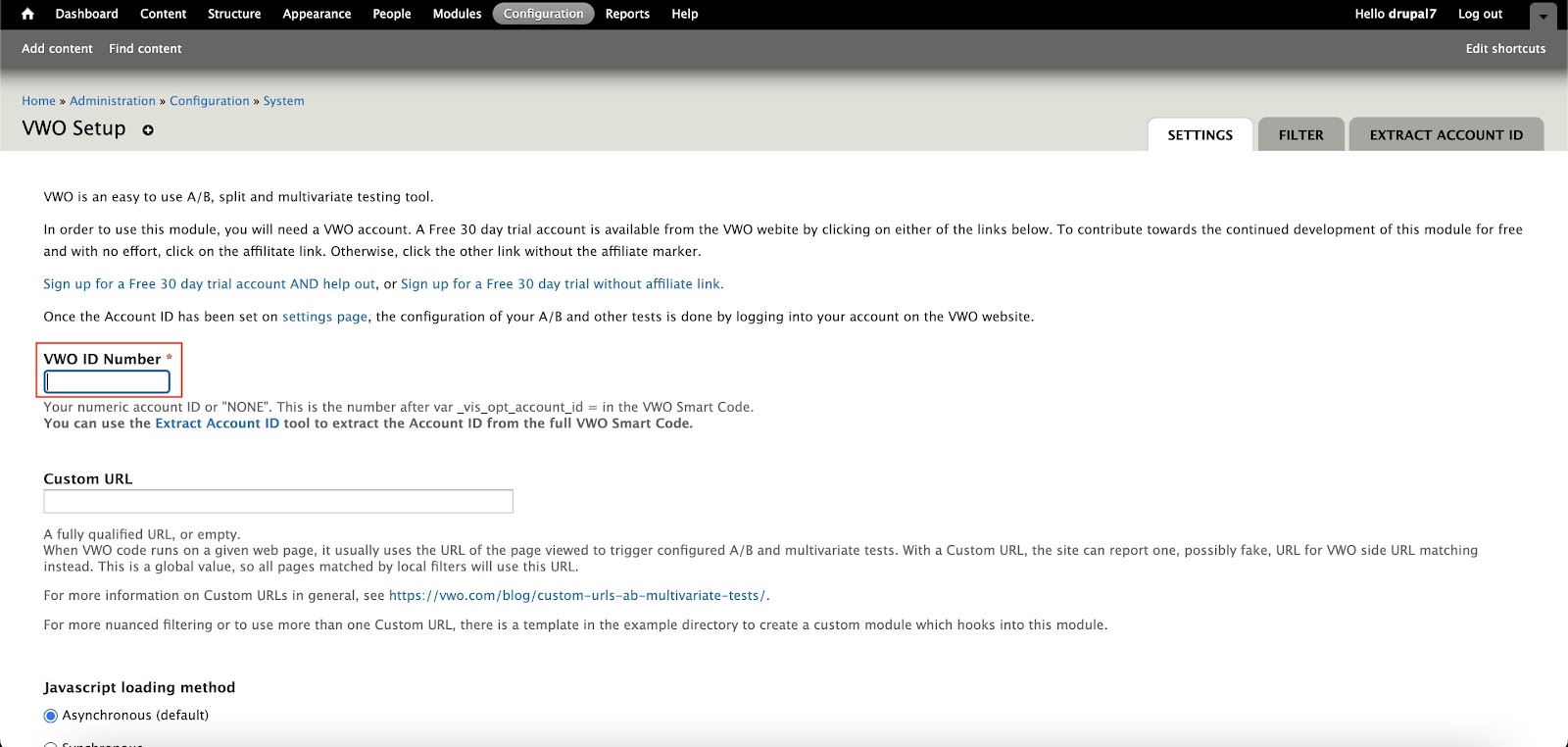
- In the VWO Setup page, enter your VWO account ID in the VWO ID Number field.
INFO: Your VWO account ID is present in the panel at the top of the VWO app. - Click Save configuration. Your website is now integrated with VWO, and you are all set to create VWO campaigns.

For Drupal 8 and Above:
- Post installing the module, navigate to Configuration > System > VWO Settings to configure the Drupal plug-in.
- Under the Settings tab, enter your VWO account ID in the VWO Account ID field.
INFO: Your VWO account ID is present in the panel at the top of the VWO app. - Click Save configuration. Your website is now integrated with VWO, and you are all set to create campaigns in VWO.